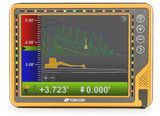
Topcon MC MAX Excavator Machine Control System - 3DMC Version 15
The latest X Series, better known as the MC-Max Version 15 system, is the next step up from the X Series Version 13. Working from new IMU multi-directional sensors and two upgraded GR-i3 GNSS receivers with quicker update speeds.
The SL-25 modem replaces the previous SL-100 modem to provide reliable 4G connectivity, while the remotely programmable Satel UR-1 radio and MC-X1 controller connect all components to the latest GX-90 screen with higher processing power. The GX-55 and GX-75 screens are now legacy and unsupported. Existing systems can continue to operate with these screens, although upgrading to the GX-90 will provide current software compatibility and ongoing system support.
Fully supported for use with Topcon’s Sitelink3D and compatible tilt rotators. The new and upgraded components mean the system is now upgradable to Automatics, which involves fitting a hydraulic block to work with the machine hydraulics and assist the operator when working on fine grading works.
The XMAX is able to work from the network via SIM card or from an on-site base station via its radio connection.
The XMAX running Version 15 of 3DMC software allows for precise and efficient works, getting to grade faster and helping to reduce over-dig. The operator can see exactly where they are on site on the GX-90 screen, helping to avoid mistakes and ensuring the job is done right first time, every time.
Cab Kit Components
- GX-90 - Running Topcons operating system and 3DMC
- SL-25 4G Modem
- MC-X1 (Used to link the system and provides a BT connection for LPS)
- Satel UR-1 UHF External Radio
- 2 x GR-i3 GNSS Receivers
Wiring Kit Components
- 4 x TS-4 IMU sensors
- Wiring harness (X Series specific)
- Window mount for screen
- GNSS Receiver cables
- Tilt sensor CAN cables
- Sensor weld plates
- GPS antenna mounts (posts or boxing ring mounts)
- 4G antenna
- Radio whip antenna
Tilt rotate compatibility
The XMAX is compatible with Rototilt, Steelwrist, Engcon
If enabled by the tilt rotator manufacture, the X series will read the attachments rotation sensor information via a CAN connection. An additional Topcon tilt sensor will be required to provide tilt information. On more recent tilt rotators, the tilt information is also supplied. We recommend this is checked with your rotator supplier.
Topcon Sitelink online data transfer and remote access platform
Sitelink is Topcon’s online, cloud-based data management and remote access platform.
To access Sitelink, users must first create a free MyTopcon account at www.topconpositioning.com.
Topcon machine control systems are supplied with a Topcon data SIM. Once activated, these SIM cards enable network connectivity and can be paired with Sitelink for remote access and file transfer (for more info on this, contact us). Sitelink connectivity is currently run on a per-point basis. Points can be purchased from our website and activated on My Topcon. Once Sitelink points have been activated, the Sitelink App will be accessible, and a unique support desk connection number will be provided.
Once your account is set up, data loaded to the online site can be synchronised to all Topcon machine control and Field Controllers. Tasks can be set for specific regions or individual machines, with updated design synchronisation, so everyone has the same data, thereby avoiding delays or costly mistakes.
Topo survey data can be recorded by individual machines or recorded on a layer set to be updated by all machines. This data can then be synchronised to Sitelink and downloaded for quality control or used to monitor progress.
Sitelink3D supports a range of Topcon, CAD and industry-standard design formats, including:
- TP3 – Topcon project file.
- TN3 – Topcon surface file.
- LN3 – Topcon linework file.
- GC3 – Topcon localisation file.
- DXF.
- DWG.
- LandXML.
- CSV.
- TXT.
For further information about Sitelink3D, account creation and Service Points, please see: [LINK]
Software features
- Upload surfaces and layers by USB - TP3 (Topcon Project file), TN3 (Surface), LN3 (Linework) and GC3 (Localisation)
- Upload data remotely through Sitelink – AutoCAD, DWG, DXF, LandXML, TP3, TM3, LN3, GC3.
- Vertical and horizontal guidance
- Programmable screen views
- Steer to polyline guidance
- Create vertical and horizontal offsets
- Create surfaces and layers from the cab
- Carry out surveys using the machine
- Create surfaces from topo survey data
- Built in horizontal and vertical screen LED’s for easy guidance
Uses
Bulk Earthworks, drainage, footings, pond excavations, grading
Current Software version
3DMC V15.1.9 (latest software version for the XMAX)
It is important that the software, firmware and operating system are kept up to date. Failure to do so can affect the systems performance. For more information on updates please contact us.
Available upgrades
2D laser receiver – connected through the machines CAN line between the stick and dog bone sensor.
LPS Total Station – Requires an activation to the MC-X1. An additional prism mount is added to the calibration file for the location of the 360 prism. Once setup, users can switch between GPS and LPS from the in-cab screen.
SL-100's fitted with 3G modems can be updated to 4G. Please contact us for more info.
Updating the older I series to the X Series or XMAX Series requires new sensors, main wiring loom and GNSS cables. It is recommended to replace the full wiring kit if updating. Please contact us for more info.
Notes
Topcon X-Series running 3DMC V15 will only work with the GEN2 versions of the GX-55 and GX75 screens do to the higher processor required to run version 15 of 3DMC.
GX55 GEN1 screen serial number prefix 1400. GEN2 screen prefix 5555.
GX75 GEN1 screen serial number prefix 1418 GEN2 screen prefix 5555.

 No
No  Yes
Yes